Step 1: Make a Ferncliff Account
CLICK HERE TO MAKE A FERNCLIFF ACCOUNT
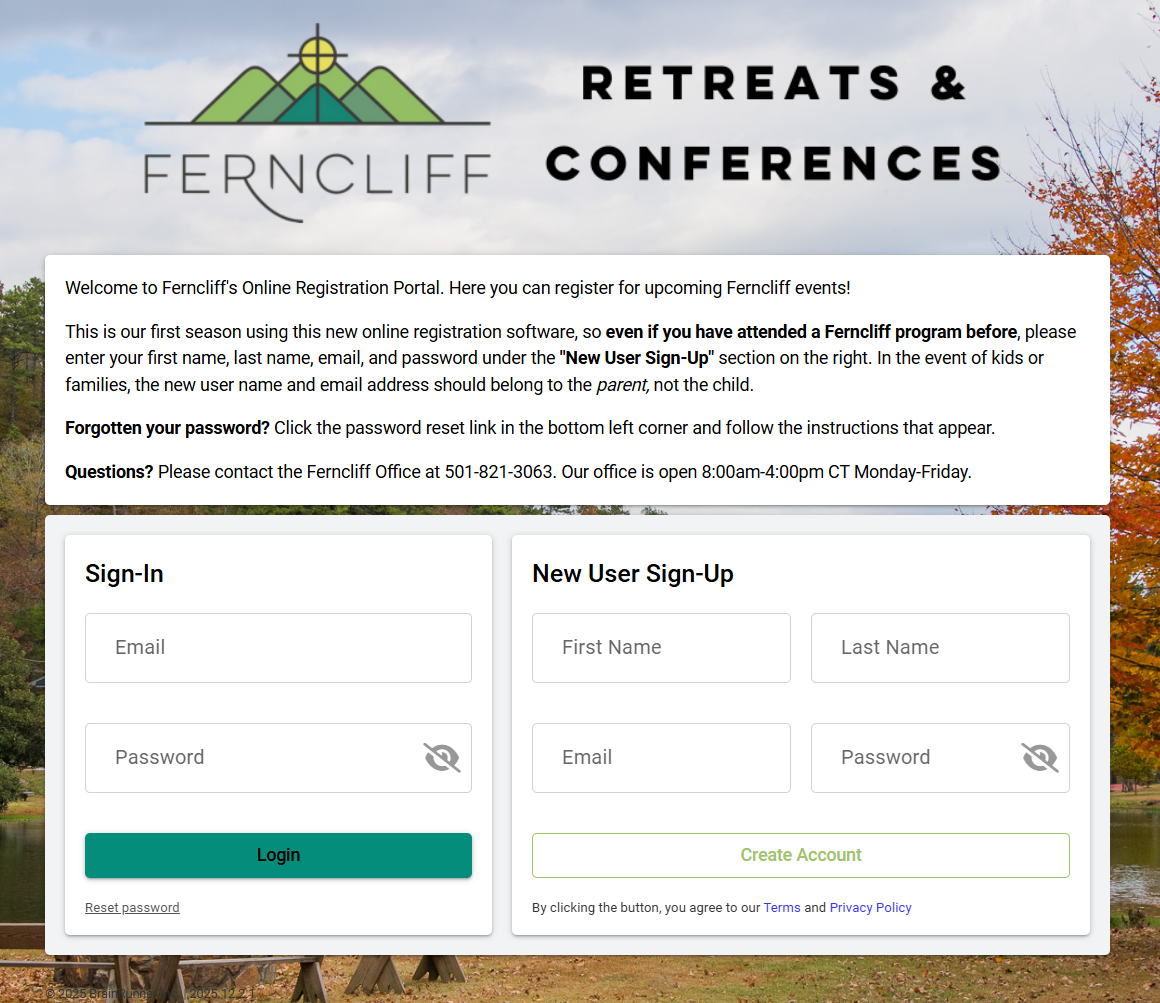 This is our first season using this new online registration software, so even if you have attended a Ferncliff program before, please enter your first name, last name, email, and password under the “New User Sign-Up” section on the right.
- For parents registering their children for Bible Boot Camp, the new user name and email address should belong to the parent, not the child.
- For Children’s Ministry Directors or Church Staff registering children from the church for Bible Boot Camp, enter the name and email of the staff person here.
You will be directed to your email to verify your email address. Once you have done so, you can return to the log in page and enter your email and password under “Sign-In.”
Step 2: Add your campers
Once you have logged in, click the button to begin a new registration, then click Continue.

On this page you will create all the folks you want to bring to Bible Boot Camp, including children and adult participants. You will need each camper’s:
- First Name
- Last Name
- Birthday
- Grade
Once you’ve entered your camper’s information, make sure to click the checkbox on the lefthand side for each person you want to register for Bible Boot Camp. Once you’ve done that, click “Continue to Sessions” at the bottom.
Step 3: Select Bible Boot Camp

Click on the upcoming Bible Boot Camp, then select the “Add to Cart” button in green. Repeat this process for each participant, selecting their names at the top to toggle between people.
Step 4: Complete Registration Forms
The “Household Form” is for parent info or church staff info. The Medical Form and Bible Boot Camp specific form relate to the individual participants. Church Staff are welcome to sign on behalf of parents who have given permission for their camper to attend.


Step 5: Pay Required Fees
When you’ve added all your campers, choose “Continue to Payment” in order to finalize your registration. You’ll receive an email confirmation afterwards and you’ll be… ALL SET & READY for Bible Boot Camp 2026!
Frequently Asked Questions
When does registration open and close? Registration is now open! Registration closes when all spots are full or on February 1st at 11pm!
Who should I contact with questions? For help registering or questions about Ferncliff, please email jordan@ferncliff.org or call our office at 501-821-3063.